Steps to Connect the Prompt.io and NationBuilder Integration

Prompt.io’s integration with NationBuilder’s API can be used to sync lists, signup record details, and contacts between systems. The integration uses OAuth2.0 protocols for safe and secure transfer of data between the platforms.
Getting Started
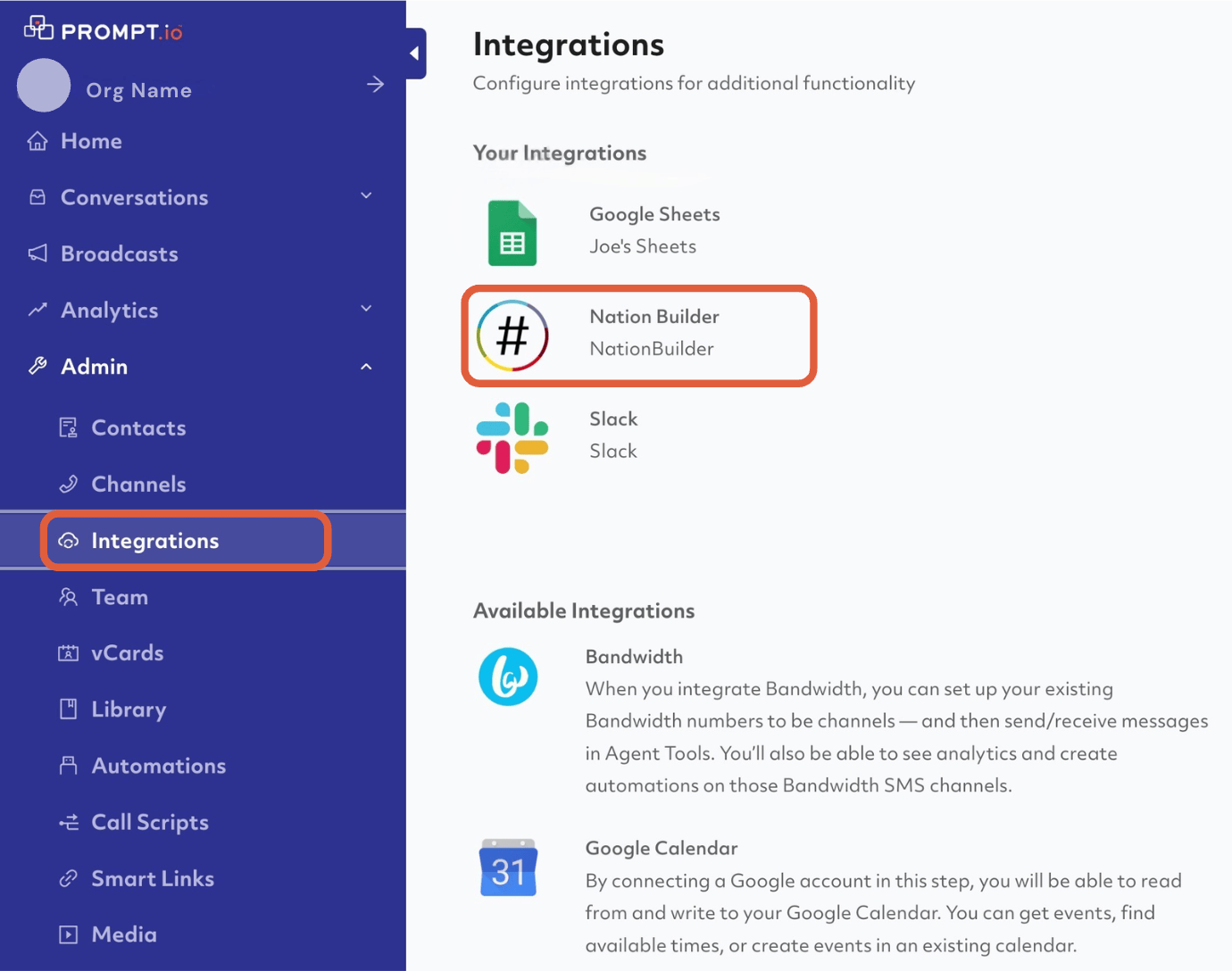
Select the NationBuilder integration while in the Prompt.io dashboard.
Go to the sidebar and pick Admin > Integrations.
Getting Started
Select the NationBuilder integration while in the Prompt.io dashboard.
Go to the sidebar and pick Admin > Integrations.
Authentication
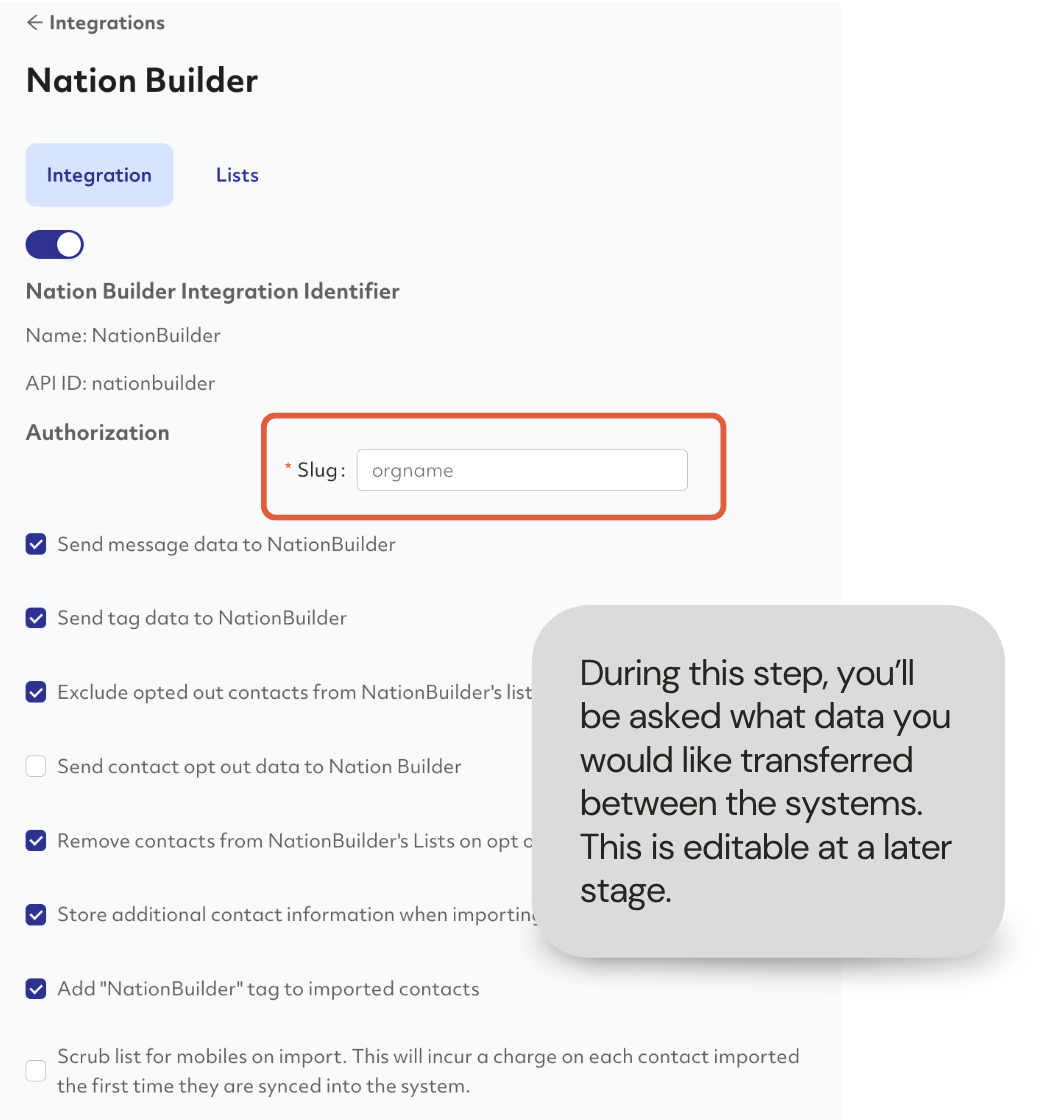
Once on the NationBuilder integration screen, enter your nation slug. This is a unique identifier within the NationBuilder system that will prompt the admin to login to their instance of NationBuilder to complete the authentication handshake.
Once on the NationBuilder integration screen, enter your nation slug. This is a unique identifier within the NationBuilder system that will prompt the admin to login to their instance of NationBuilder to complete the authentication handshake.
List Syncing
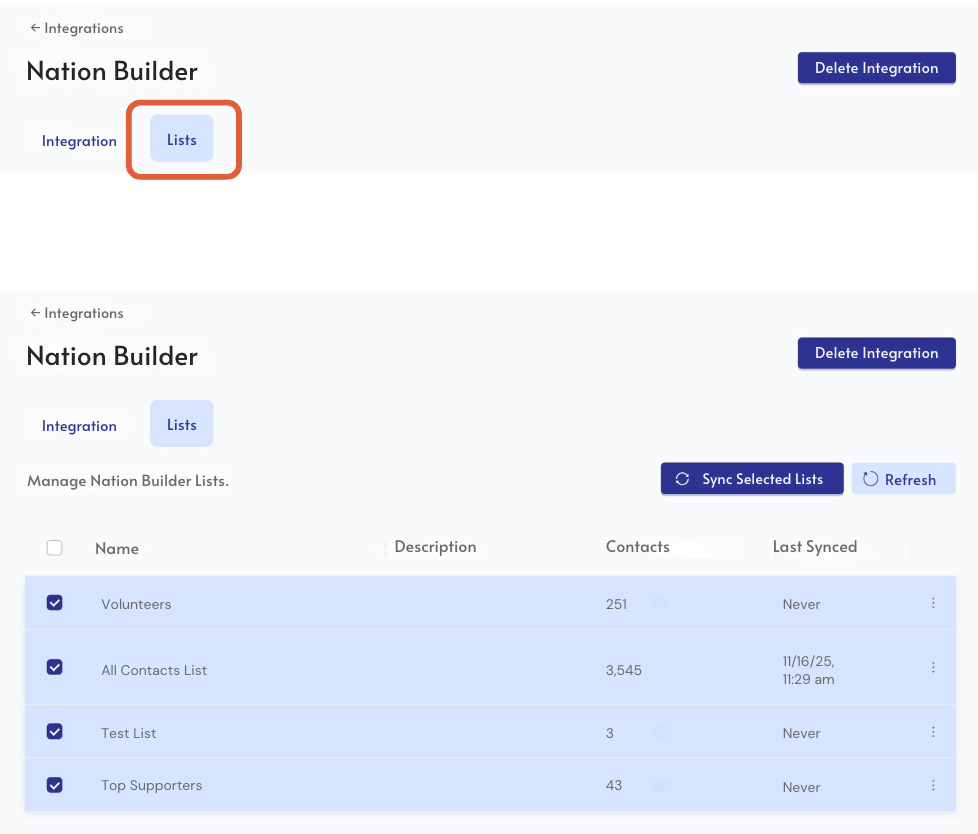
Moving to the Lists tab in the same integration overview screen. From here, all of your lists within NationBuilder will be pulled into Prompt.io.
You can segment your outreach list in NationBuilder and then import it into Prompt.io. Select the list you want to sync over and initiate the import by checking the box next to the list(s) you’re engaging with in Prompt.io.
Moving to the Lists tab in the same integration overview screen. From here, all of your lists within NationBuilder will be pulled into Prompt.io.
You can segment your outreach list in NationBuilder and then import it into Prompt.io. Select the list you want to sync over and initiate the import by checking the box next to the list(s) you’re engaging with in Prompt.io.
List Engagement
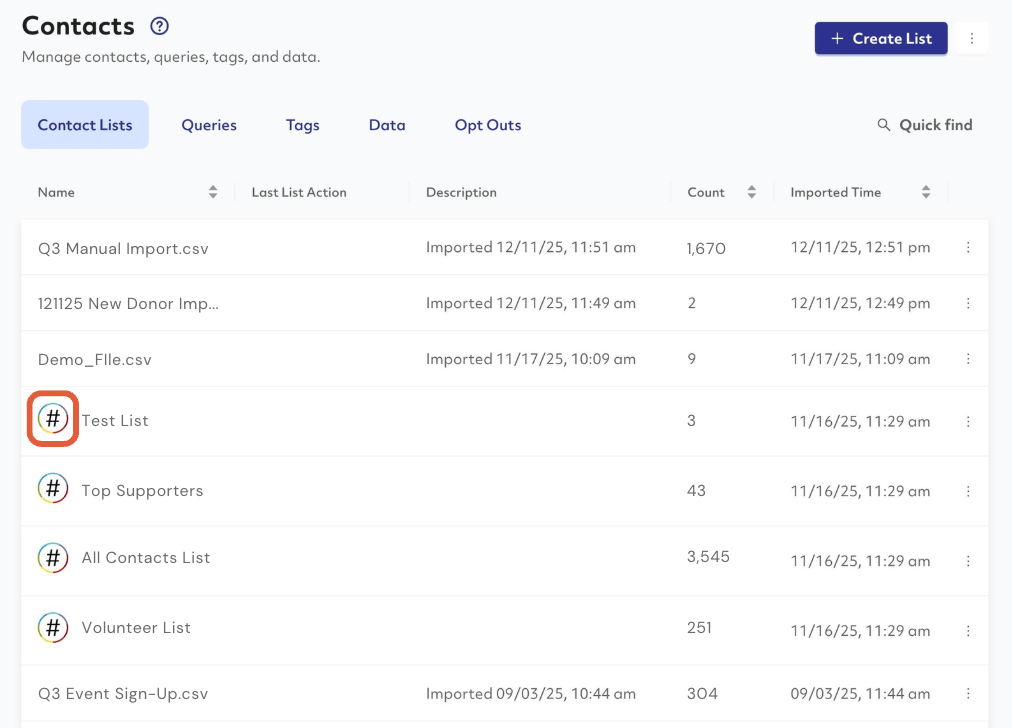
After selecting your list(s), it will show up under Admin > Contacts > Lists
Any lists with a NationBuilder logo indicating that the list was pulled over from their system.
Note: A record in Prompt.io will not get created in NationBuilder without being imported from a NationBuilder list first. It is important that you sync the list over from NationBuilder from the Integrations dashboard as shown previously.
After selecting your list(s), it will show up under Admin > Contacts > Lists
Any lists with a NationBuilder logo indicating that the list was pulled over from their system.
Note: A record in Prompt.io will not get created in NationBuilder without being imported from a NationBuilder list first. It is important that you sync the list over from NationBuilder from the Integrations dashboard as shown previously.
Syncing in NationBuilder
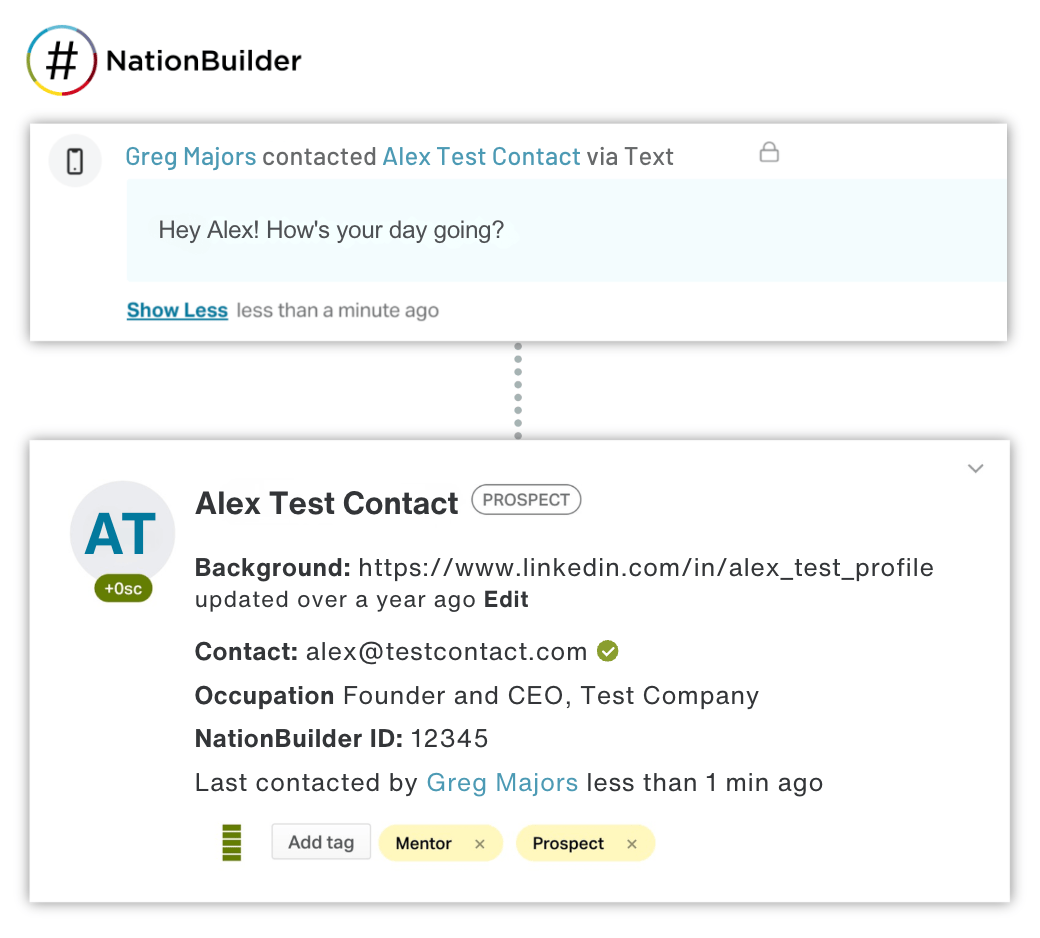
After interacting with the contact in Prompt.io, engagement data will also be tracked in NationBuilder, including the contact made, the substance of the communication, tags, and opt-in status.
After interacting with the contact in Prompt.io, engagement data will also be tracked in NationBuilder, including the contact made, the substance of the communication, tags, and opt-in status.